Meta Tags Tools
Meta Tag Generator
Create clean meta tags for a page. Enter the title, description and canonical address, choose the robots setting and copy the result. There is no meta keywords tag because Google does not use it.
How to use it
- Fill in the title and description.
- Add the canonical URL and choose a robots setting if needed.
- Copy the tags into the <head> of your page.
Example
A title, a 150-character description and a canonical produce four lines of HTML.
What each tag is for
- Title: the clickable headline in search results and the browser tab. Google may rewrite it if it does not suit the search, so write it for people first. About 50 to 60 characters usually display in full.
- Meta description: a summary Google may use as the snippet. It is not a ranking factor, and Google often writes its own. Aim for a sentence or two that says what the page offers, in roughly 150 characters.
- Canonical: tells search engines which address is the main version when the same content is reachable at several. Point it at the page itself unless you have a reason not to.
- Robots: noindex asks search engines to keep the page out of results. Use it deliberately, because a stray noindex is a classic reason a page disappears.
Common mistakes
- The same title and description on every page, which makes pages look interchangeable. See duplicate title tags.
- A canonical that points to a different page by accident, or to an address that redirects. See when Google picks a different canonical.
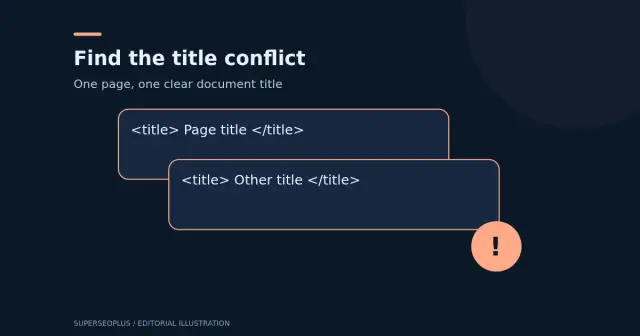
- Pasting the tags more than once into the head, so there are two titles or two canonicals. Search engines may then ignore both.
- Adding noindex to staging or test pages and forgetting to remove it at launch.
Preview how your result might look with the SERP snippet preview, then check the finished page with the meta tags analyzer.
Questions
How long should a title or description be?
Google has no fixed limit and rewrites snippets to fit. The counts are for reference only.
Do I need a robots tag?
Only to restrict indexing. With no tag, search engines default to index, follow.
Guides that go with this tool
 Digital Marketing
On-Page SEO Checklist: 13 Checks for Every Page
Use this on-page SEO checklist to improve titles, descriptions, headings, content, images and links on every page, based on Google's own guidance.
 Wordpress
Duplicate Title Tags in WordPress: Identify Which Problem You Have
Duplicate title tags in WordPress? Check for two title elements, repeated branding or identical titles, then verify the right repair.
Get practical SEO tips by email
Occasional emails with new guides and tools. Confirm by email first; unsubscribe in one click.