Website Management Tools
URL Slug Generator
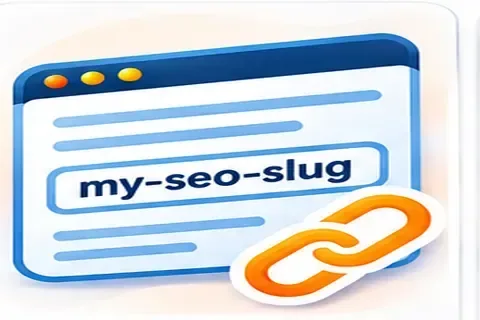
Paste a title, or a list of titles, and get clean URL slugs: lowercase, hyphen-separated, with accents turned into plain letters, punctuation removed and symbols such as & written as words. Choose a separator, drop filler words such as “the” and “of”, trim to a maximum length at a word boundary, or keep non-Latin letters for languages such as Arabic or Russian. Duplicate slugs in a list are flagged. The tool builds slug text only. It cannot know which URLs already exist on your site, and changing a live URL needs a redirect.
How to use it
- Paste one title per line.
- Choose the separator, length limit and options.
- Copy the slugs and check them against your existing URLs.
Example
“Café & Bar: The 10 Best Places!” becomes cafe-and-bar-the-10-best-places, or cafe-and-bar-10-best-places with filler words removed.
After you choose a slug
Check the full address for duplicates and redirect chains. You can map old and new addresses with the URL rewriting tool and test the result with the redirect checker.
Which tool fits your task?
This page is for URL-safe slugs made from titles. Related tools handle neighbouring jobs, so check that URL-safe slugs made from titles is really what you need before you start.
- If you came here for URL-safe slugs made from titles but need changing capital letters, use the Uppercase to Lowercase.
- If you came here for URL-safe slugs made from titles but need headline capitalisation in a named style guide, use the Title Case Converter.
- If you came here for URL-safe slugs made from titles but need tiny Unicode text for profiles and messages, use the Small Text Generator.
- If you came here for URL-safe slugs made from titles but need reversing or flipping text, use the Reverse Text Generator.
Questions
What makes a good URL slug?
Short, readable, lowercase words separated by hyphens that describe the page. Avoid dates that will age, session codes and long strings of keywords.
Should I remove words like “the” and “and”?
Often shorter is better, but only if the slug stays readable. The option is off by default.
Can I use non-English characters?
Modern browsers and search engines handle Unicode URLs, but they are percent-encoded when shared and can look unwieldy. Turn on “keep non-Latin letters” if your readers expect them.
Is changing a slug safe for an existing page?
Changing a live URL can lose traffic unless you add a 301 redirect from the old address to the new one and update internal links. Do not change slugs of ranking pages without a good reason.
Why are hyphens preferred to underscores?
Google's guidance treats hyphens as word separators in URLs. Underscores are not recommended for that purpose.
Guides that go with this tool
 Digital Marketing
On-Page SEO Checklist: 13 Checks for Every Page
Use this on-page SEO checklist to improve titles, descriptions, headings, content, images and links on every page, based on Google's own guidance.
 Digital Marketing
Technical SEO Checklist: 14 Checks for a Healthy Website
Use this technical SEO checklist to check crawling, indexing, sitemaps, HTTPS, speed, mobile and structured data, based on Google's own guidance.
Get practical SEO tips by email
Occasional emails with new guides and tools. Confirm by email first; unsubscribe in one click.