Website Management Tools
Redirect Map Builder
Paste pairs of old and new URLs, or open a CSV, and get ready-to-use redirect rules for Apache (.htaccess), Nginx, Netlify or Cloudflare Pages _redirects files, or a clean CSV. Before you deploy, the tool checks the map for redirect loops, chains that should point straight at the final URL, duplicate old URLs sent to different places, redirects to the same URL, and mass redirects to the home page. It builds and checks text only. It never visits your URLs, so it cannot know whether the new pages exist or return 200: test the live redirects afterwards.
How to use it
- Paste one pair per line, separated by a space, comma, tab or ->, with an optional status code.
- Fix any errors and warnings listed.
- Choose your server format, copy the rules and test them after deployment.
Example
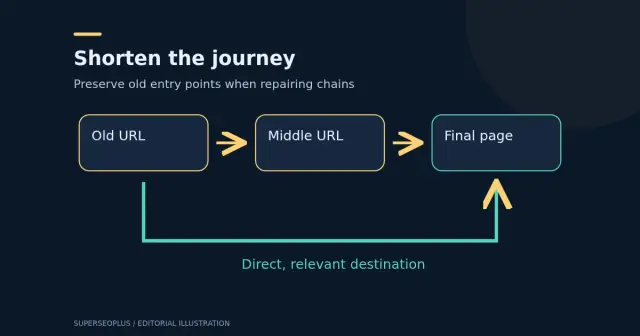
The lines /a /b and /b /c produce two rules and a warning that /a goes through a chain: it should point straight to /c.
After you deploy
Check a sample of URLs with the redirect checker, keep the old URLs redirecting for as long as possible, update internal links and your sitemap, and read our guide to repairing redirect chains.
Questions
Why avoid redirect chains?
Each extra hop slows the visit and can waste crawl effort, and long chains may not be followed. Point every old URL directly at its final destination.
Is redirecting everything to the home page acceptable?
Usually not. When there is no close replacement, search engines may treat a redirect to an unrelated page, including the home page, like a soft 404. Redirect to the closest relevant page, or let the old URL return 404 or 410.
Which status code should I use?
301 or 308 for permanent moves and 302 or 307 for temporary ones. This tool defaults to 301.
Does it handle query strings?
Apache and Nginx match the path only, so rules for old URLs with a query string use a query-string condition. Test those carefully.
Where do the rules go?
Apache rules go in .htaccess or the virtual host, Nginx rules in the server block, and _redirects in the publish folder. Back up first and test with the redirect checker.
Guides that go with this tool
 Wordpress
WordPress Redirect Chains: Build a Safe URL Repair Map
Map WordPress redirect chains, identify the right destination and test old URLs after repair. Includes a read-only command and migration acceptance checks.
 Digital Marketing
Technical SEO Checklist: 14 Checks for a Healthy Website
Use this technical SEO checklist to check crawling, indexing, sitemaps, HTTPS, speed, mobile and structured data, based on Google's own guidance.
Get practical SEO tips by email
Occasional emails with new guides and tools. Confirm by email first; unsubscribe in one click.