Website Tracking Tools
Redirect Checker
Enter any web address and see exactly where it ends up. The tool follows each redirect one step at a time and shows the status code, where it points and how long each step took, then explains what it found: long chains, temporary redirects that should be permanent, HTTP to HTTPS upgrades and redirects that end on an error. The requests come from our server.

How to use it
- Type or paste the full address, for example http://example.com/old-page.
- Press Check redirects and wait a few seconds.
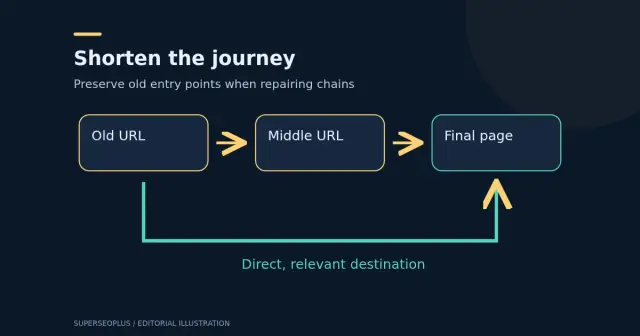
- Read the path step by step, then the notes underneath. Fix chains by redirecting straight to the final address.
Example
http://example.com/ redirecting to https://example.com/ in one 301 step is ideal. A path of 301 then 302 then 301 through three addresses is a chain worth shortening.
The result is a snapshot from one location. Redirects that depend on country, device or cookies may differ for your visitors.
Reading the result
- 301 and 308 mean moved permanently. Use them when a page has a new permanent address; search engines treat the new address as the one to keep.
- 302 and 307 mean moved temporarily. They are right for short-term changes, but a temporary redirect left in place for months is usually a mistake.
- A chain is more than one hop, such as http to https to www to a new path. Every extra hop adds delay. Google says it follows a limited number of hops, so fix chains by pointing the first address straight at the final one.
- A loop never ends and the page cannot load at all.
- An error at the end (404 or 500) means the redirect leads nowhere useful.
Common mistakes
- Redirecting many unrelated old pages to the home page. Search engines may treat that like a missing page, and visitors lose what they were looking for. Redirect to the closest equivalent.
- Fixing the redirect but not the links. Internal links, canonicals and sitemap entries should point at the final address directly.
- Testing only the version you type. Check http, https, with and without www, and with and without a trailing slash.
The requests come from our server, not your browser, so a redirect that depends on your cookies, location or login will not show here. For site-wide patterns, read how to build a redirect repair map, and build the rules with the redirect map builder.
Questions
What is the difference between 301, 302, 307 and 308?
301 and 308 are permanent redirects and 302 and 307 are temporary ones. Google treats permanent redirects as a strong signal that the destination should be the canonical address and temporary ones as a weak signal, so use a permanent redirect for a move that will not be reversed.
How many redirects is too many?
Aim for one. Each extra step adds a delay for visitors and for crawlers, and very long chains may not be followed. This tool follows up to 8 steps and stops with an explanation if it hits a loop.
How is this different from the WWW Redirect Checker?
The WWW Redirect Checker tests the four host variants of a domain (http, https, www and non-www) and whether they agree. This tool traces one specific address, any page or path, step by step.
Does it detect meta refresh or JavaScript redirects?
No. Only HTTP redirects are followed, because the page body is not read. A page that redirects with a meta refresh tag or with JavaScript will appear to end on that page.
Why can't I check a private or local address?
To prevent misuse, the tool only contacts public websites by domain name on standard web ports, and refuses any redirect that leads to a private address, an IP address or an unusual port. Checks are also rate-limited.
Guides that go with this tool
 Wordpress
WordPress Redirect Chains: Build a Safe URL Repair Map
Map WordPress redirect chains, identify the right destination and test old URLs after repair. Includes a read-only command and migration acceptance checks.
 Digital Marketing
Technical SEO Checklist: 14 Checks for a Healthy Website
Use this technical SEO checklist to check crawling, indexing, sitemaps, HTTPS, speed, mobile and structured data, based on Google's own guidance.
Get practical SEO tips by email
Occasional emails with new guides and tools. Confirm by email first; unsubscribe in one click.