Meta Tags Tools
SERP Snippet Preview
Type a page title, meta description and address and see an approximate version of how they might look in a Google search result, on desktop or mobile, in a light or dark theme. The tool measures your text in pixels, because search results are cut off by width rather than by a fixed number of characters, and tells you where your title or description would probably be shortened. It is an approximation: Google often shows a different title or description than the ones you write, and it changes its layout. Nothing you type leaves your browser.

How to use it
- Enter your title, meta description and page address, or paste a page's HTML to read them automatically.
- Switch between desktop and mobile and between light and dark, and read the notes about width and likely cut-offs.
- Copy the finished title and meta description tags when you are happy with them.
Example
A title of “How to Write a Meta Description That People Click: A Practical Guide” is about 70 characters. On the desktop preview it is wider than the assumed 600 pixel line and would probably end with an ellipsis, so shortening it to something like “How to Write a Meta Description That People Click” keeps the important words visible.
How truncation works
Search results are cut off by the width of the text, not the number of characters. A title full of narrow letters such as i and l fits more characters than one full of wide letters such as W and M. When text does not fit, it is shortened with an ellipsis, usually at a word boundary. This tool measures your text with the browser's text engine and wraps it into the assumed number of lines, so you can see roughly what would be lost.
Writing titles and descriptions that earn clicks
- Put the most important words first, so a cut-off loses the least.
- Make every title unique and specific to the page, and accurate about its content.
- Write the description as a short, honest summary that matches what the visitor wants, and include a reason to click where it is truthful.
- Do not stuff keywords or repeat the title in the description.
To create the tags, use the meta tag generator. To read the tags of a live page, use the meta tags analyzer, and to check how a link looks when shared, try the Open Graph checker. The word counter can count your text.
What this preview cannot do
- Predict what Google will actually show, or when it will rewrite your text.
- Show rich results, sitelinks, dates, ratings, images or other features.
- Check your live page: it never fetches anything. Paste the HTML if you want it to read the tags for you.
Limits
- Up to 300 characters in the title, 1,000 in the description and 5,000 characters of pasted HTML.
- The measurement uses Arial; if your browser lacks it, a similar font is used, so widths can differ slightly.
- The assumed widths are approximate and may no longer match Google's current layout.
Questions
How accurate is the preview?
It is a close visual approximation, not a copy of Google. It measures your text in the browser's Arial font and applies rule-of-thumb widths: a 600 pixel title line and a two-line description on desktop, and a two-line title and three-line description on mobile. Google does not publish exact limits, and they change.
Why does Google show a different title or description than mine?
Google may rewrite a title or description when it thinks another version better matches the search or the page content, for example when yours is missing, too long, repetitive or not relevant. Writing a clear, accurate title and description helps, but cannot force Google to use them.
What is the right length for a title or description?
There is no fixed length in Google's rules. Because results are cut by pixel width, around 50 to 60 characters for titles and 150 to 160 for descriptions are common rules of thumb. Narrow letters take less room than wide ones, so the pixel measure is more reliable than a character count.
Does the meta description affect rankings?
Google has said it does not use the meta description as a ranking factor, but a good one can make a result more appealing to click and Google may show it as the snippet. Write it for people.
Why preview mobile separately?
Mobile results use a narrower column, so titles can wrap onto two lines and descriptions onto three, and the cut-off point is different. Check both.
Is my text uploaded anywhere?
No. The preview is drawn and measured in your browser. Nothing is sent to us, and the tool never fetches your page.
Guides that go with this tool
 Wordpress
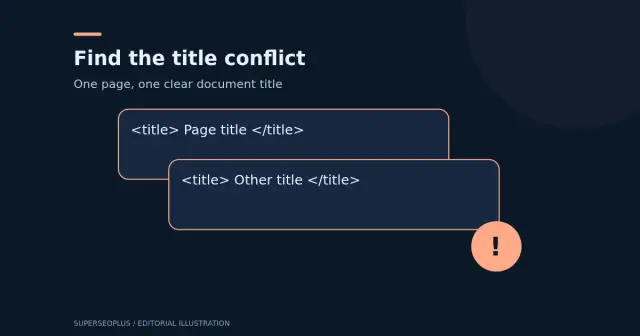
Duplicate Title Tags in WordPress: Identify Which Problem You Have
Duplicate title tags in WordPress? Check for two title elements, repeated branding or identical titles, then verify the right repair.
 Digital Marketing
On-Page SEO Checklist: 13 Checks for Every Page
Use this on-page SEO checklist to improve titles, descriptions, headings, content, images and links on every page, based on Google's own guidance.
Get practical SEO tips by email
Occasional emails with new guides and tools. Confirm by email first; unsubscribe in one click.