Website Management Tools
XML Sitemap Validator and URL Extractor
An XML sitemap that contains a stray ampersand, an unclosed tag or a bad date can be partly or wholly ignored. Paste a sitemap or sitemap index, or open the file from your device, and this tool reads it strictly, reports every problem with its line number, checks it against the sitemaps.org rules and Google's documented limits, and lists the URLs it contains. It works only on the text you give it. It never fetches any address, so it cannot check status codes, redirects, robots.txt blocking or whether the sitemap is reachable.
How to use it
- Paste your sitemap XML into the box, or open a .xml file from your device. Optionally enter the address where the sitemap will live so the URLs can be checked against it.
- Read the summary and the list of errors, warnings and tips. Each one shows the line it came from.
- Copy the URLs, or download the URL list or a CSV with the issues for each URL.
Example
A sitemap entry containing <loc>https://example.com/shoes?color=red&size=9</loc> is not well-formed XML, because the & must be written &. The validator reports the exact line and column and the fix: <loc>https://example.com/shoes?color=red&size=9</loc>.
Common sitemap errors
- Unescaped ampersands in URLs with several query parameters.
- Relative or non-https addresses instead of full canonical URLs.
- Bad dates such as 15/11/2026 or a time without a time zone.
- More than 50,000 URLs or a file over 50 MB.
- Duplicates, fragments (#) and tracking parameters, which waste crawl effort.
- Listing a sitemap index inside another index, which is not allowed.
What a valid sitemap does not guarantee
A well-formed sitemap helps search engines discover URLs. It does not make them indexed or ranked, and it is not a substitute for good internal links. Make sure every listed page is live, indexable and canonical, and not blocked by robots.txt. To create a sitemap, use the XML sitemap generator. If you submit changes to search engines that support it, the IndexNow request builder can help.
Limits
- Up to about 20 million characters of XML per check, and 50,000 entries as in the protocol.
- DOCTYPE declarations are rejected. Extension elements (images, videos, news, alternate-language links) are counted but not checked in detail.
- Compressed files and live addresses are not supported; paste or open the XML.
Questions
What does the validator check?
That the XML is well-formed; that the root is a urlset or sitemapindex with the sitemaps.org namespace; that every entry has a full http or https address of up to 2,048 characters; that lastmod dates are valid W3C dates; that changefreq and priority values are legal; and that the file has no more than 50,000 entries and is under 50 MB. It also flags duplicates, fragments, tracking parameters, mixed hosts and mixed http and https.
Does it check that my URLs actually work?
No. It never visits any address, so it cannot see status codes, redirects, noindex tags, canonical tags or robots.txt blocking. A sitemap should list only pages that return 200, are indexable and are canonical. Use a crawler or Search Console to check that.
Do I need changefreq and priority?
No. They are valid, but Google has said it ignores them. Accurate lastmod dates are more useful. The tool reports them as a tip, not a problem.
What is the 50,000 URL limit?
A single sitemap file can list at most 50,000 URLs and be at most 50 MB uncompressed. For larger sites, split the sitemap into several files and list them in a sitemap index, which this tool also reads.
Can it read a compressed .gz sitemap or fetch one from my site?
Not directly. Unzip a .gz file first, then paste or open the XML. It cannot fetch a sitemap from a web address, because browsers block this page from reading other sites' files. Open the sitemap in your browser, copy the text, and paste it here.
Is my sitemap uploaded anywhere?
No. It is read and checked in your browser. Nothing is sent to us or anyone else.
Guides that go with this tool
 Wordpress
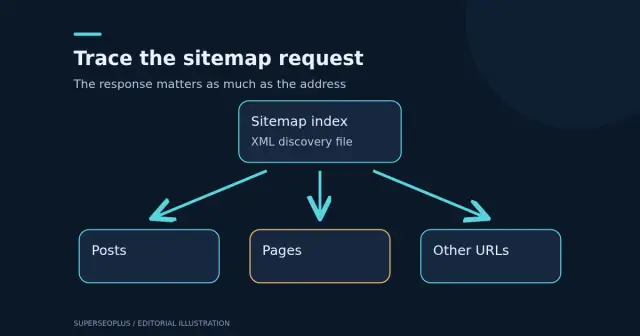
Sitemap Couldn’t Fetch in WordPress: Find the Failing Request
Sitemap couldn’t fetch in WordPress? Capture the exact response, inspect child sitemaps and prepare clear evidence for your developer.
 Digital Marketing
Technical SEO Checklist: 14 Checks for a Healthy Website
Use this technical SEO checklist to check crawling, indexing, sitemaps, HTTPS, speed, mobile and structured data, based on Google's own guidance.
Get practical SEO tips by email
Occasional emails with new guides and tools. Confirm by email first; unsubscribe in one click.